
Delete your account
Your account and personal data are deleted, and your vehicles stay for their next owner. It can’t be undone.
Before you start: if you pay for a plan, cancel it in Subscription, Manage subscription. Deleting your account doesn’t cancel your App Store or Google Play subscription. If you paid on the web, cancel it in the web’s Manage subscription.
- On Home, tap your account button.
- Tap your name to open Account.
- Scroll to Danger zone and tap Delete account.
- Read the warning and tap Continue.
- Confirm with Delete.
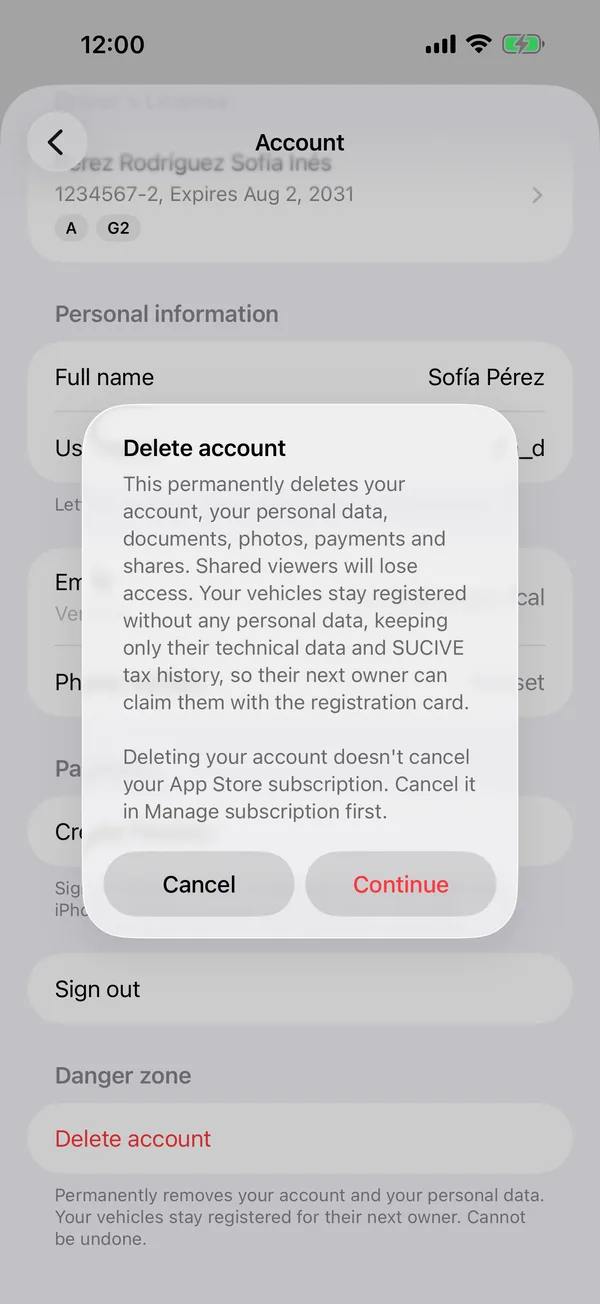
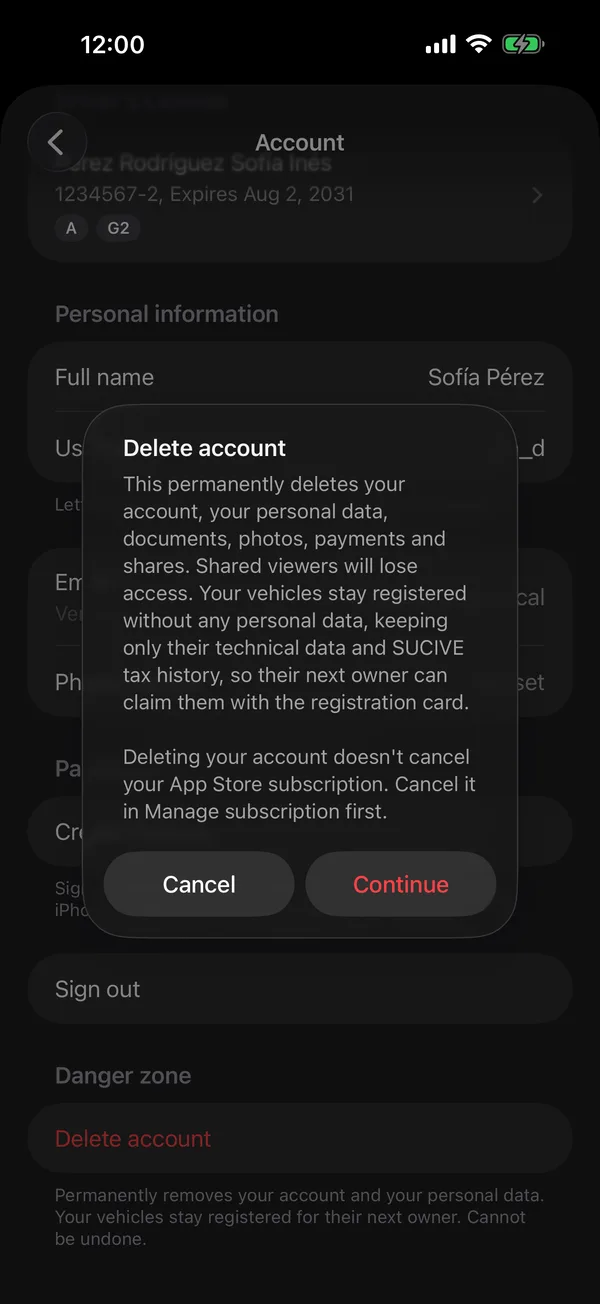
As the app says: This permanently deletes your account, your personal data, documents, photos, payments and shares. Shared viewers will lose access. Your vehicles stay registered without any personal data, keeping only their technical data and SUCIVE tax history, so their next owner can claim them with the registration card.
When it’s done, you’re back on the sign-in screen.
Sold a vehicle? Transfer it before deleting your account, so the new owner gets its service history.
On the web, Delete account is in your account, when you tap your name, under Danger zone.
Without the app: write to [email protected] from your GarageApp account's email, or from another email with your account's phone number, and ask us to delete it. We reply once it's done, within 30 days. The same is deleted as from the app.
More in Privacy
Didn’t find what you were looking for? Write to [email protected] and we’ll get back to you.